Default Browser Settings in XP and Vista
by Sanju[ Edit ] 2010-04-18 12:55:41
Default Browser Settings in XP and Vista
You may use the Set Program Access and Defaults feature to set your default browser.
From Control Panel, open
Add/Remove Programs, and choose
Set Program Access and Defaults button. [ OR click Start -> Run and type control
appwiz.cpl,,3 ]
Click the Custom button once. From the list that appears, select Internet Explorer and then click the OK button.
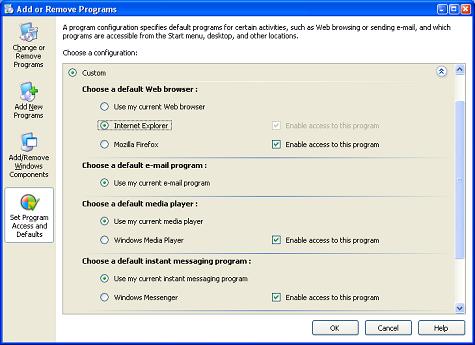
Here, you can set default browser, email-program, media player.
