Change your DOS/Command prompt
by Sanju[ Edit ] 2009-11-09 12:17:07
Change your DOS/Command prompt
Is it boring to see the old prompt whenever you go to the "DOS/Command Prompt" -- "C:\>" for example?


change it to something more exciting:


   *  Goto DOS or COMMAND PROMPT (Start -> Run -> type cmd)

   *  Type PROMPT followed by the format characters for your new prompt like $A $B etc...


To find all the codes available to you in your operating system, type PROMPT/? and press enter.


It will show the codes available in your OS like:


$A   & (Ampersand)

$B   | (pipe)

$C   ( (Left parenthesis)

$D   Current date

$E   Escape code (ASCII code 27)

$F   ) (Right parenthesis)

$G   > (greater-than sign)

$H   Backspace (erases previous c

$L   < (less-than sign)

$N   Current drive

$P   Current drive and path

$Q   = (equal sign)

$S     (space)

$T   Current time

$V   Windows version number
Example
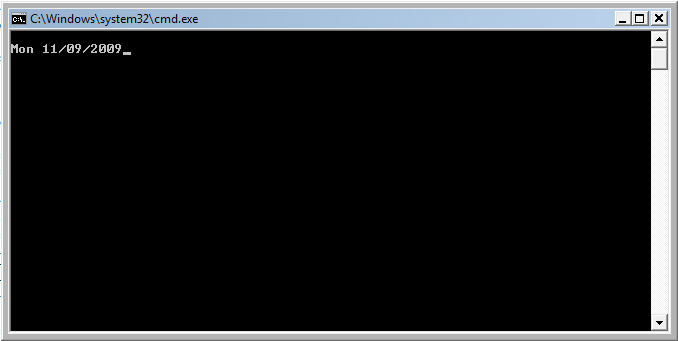
Open command prompt and type PROMPT $D. Then the command prompt will be like: