Clear Recent Documents in the Start Menu
by Rekha[ Edit ] 2009-11-27 14:12:17
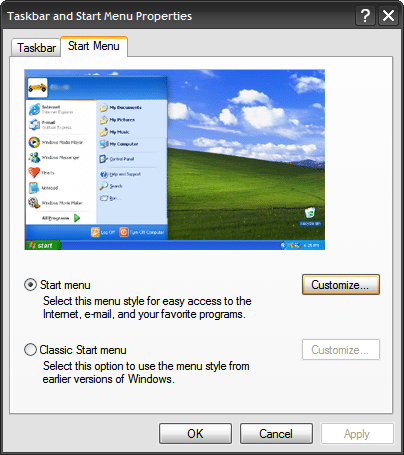
* Right click the start menu icon and select Properties. Click the Start Menu tab and click on Customize.
* In the Customize Start Menu window click on the Advanced tab.
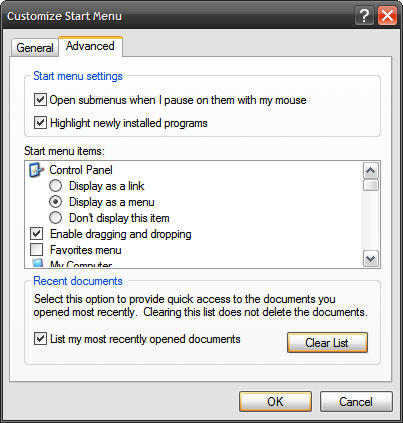
Now you have two options:
1) Click the Clear List button to just clear the recent documents.
2) Uncheck the "List my most recently opened documents" box to make the entire feature go away.
