Add outgoing email address to your address book in thunderbird
by Sanju[ Edit ] 2009-12-15 13:14:19
Add outgoing email address to your address book in thunderbird
To add outgoing email address to your address book automatically in thunderbird:
1. Go to
Tools -> Options.
2. Click
"Composition -> Addressing".
3. Here check the box
Automatically add outgoing e-mail addresses to my Personal address Book.
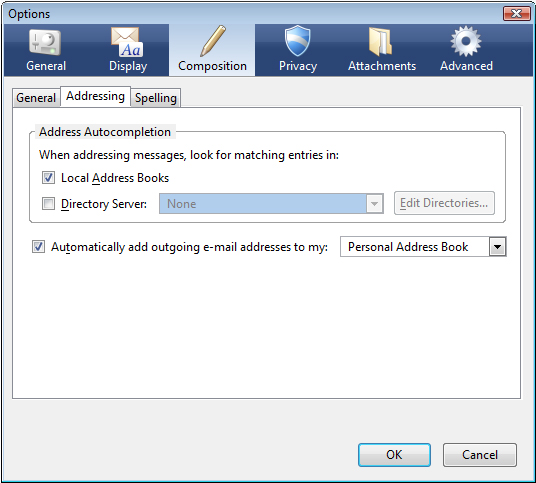
It will automatically save outgoing email addresses to your personal address book.
