Add new user account - fedora 10
by Nirmala[ Edit ] 2010-09-20 10:19:51
Add new user account - fedora 10
(*) Go to
System menu button (on the Panel) ->
Administration -> and click on
Users and Groups
(*) The User Manager interface display the available user on the system with the user information.
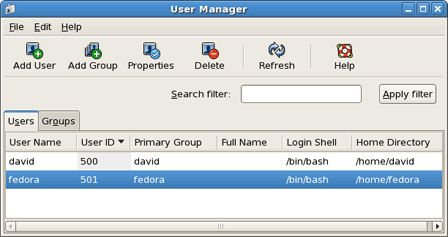
(*) To add a new user to the system, click the
Add User button
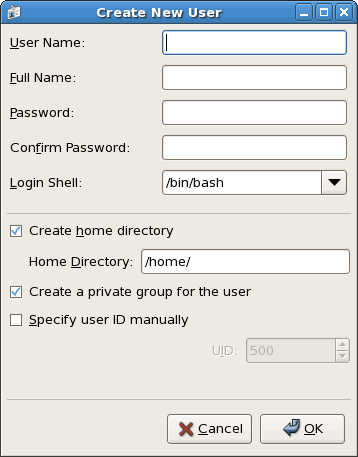
Type in the
User Name, Full Name and
Password in appropriate fields, then retype the password in the
Confirm Password field. Make sure the password length must be at least six characters long.
(*) Then click OK button to create the user.
